
Managing personal finances on a Mac has never been easier thanks to several macOS-optimized apps, some free, others subscription-based. This guide covers the best options in 2025, including their features, pros and cons, and who they are best suited for.
What to Consider Before Choosing a Mac Finance App
Choosing the right personal finance app for Mac isn’t about picking the one with the most features, but finding a tool that fits your daily habits, financial priorities, and privacy expectations.
Native macOS Support
A finance app built specifically for macOS delivers a faster, smoother, and more visually consistent experience. Look for apps that fully support dark mode, system notifications, Retina displays, and Apple Silicon performance. Apps such as MoneyWiz and Banktivity are designed for Apple’s ecosystem, ensuring better stability and long-term compatibility.
Sync Across Devices
If you manage finances on multiple devices, seamless synchronization is essential. Cloud or iCloud-based systems keep your budgets, accounts, and transactions aligned across Mac, iPhone, and iPad without manual effort. MoneyWiz provides secure cloud syncing, while Budget Flow relies on iCloud to keep data updated across Apple devices, reducing the risk of duplicated or missing entries.
Bank Integration and Transaction Import
Consider how an app handles transaction imports and bank data. Apps that support OFX/CSV files or direct bank connections allow automatic tracking of deposits, withdrawals, and recurring payments. MoneyWiz excels in this area, supporting thousands of banks worldwide, while other apps may rely more on manual entry.
Budgeting, Reporting, Multi-Currency, and Habit Tracking
Evaluate the app’s tools for managing money. Strong budgeting features help plan monthly spending and set saving goals. Detailed reports and visual analytics reveal spending patterns and trends over time. Multi-currency support is crucial for users with international income or expenses. Banktivity and Moneydance excel in advanced reporting and long-term financial analysis, whereas Budget Flow focuses more on daily expense tracking and habit-building.
Cost and Privacy
Cost and privacy are key considerations. Subscription-based apps offer ongoing updates, cloud features, and automation. One-time purchase apps, like Moneydance, provide offline control and local data storage for privacy-conscious users. Consider how much you are willing to spend, whether you prefer cloud or offline storage, and how important encryption and data security are to you.
Best Personal Finance Apps for Mac in 2025
MoneyWiz
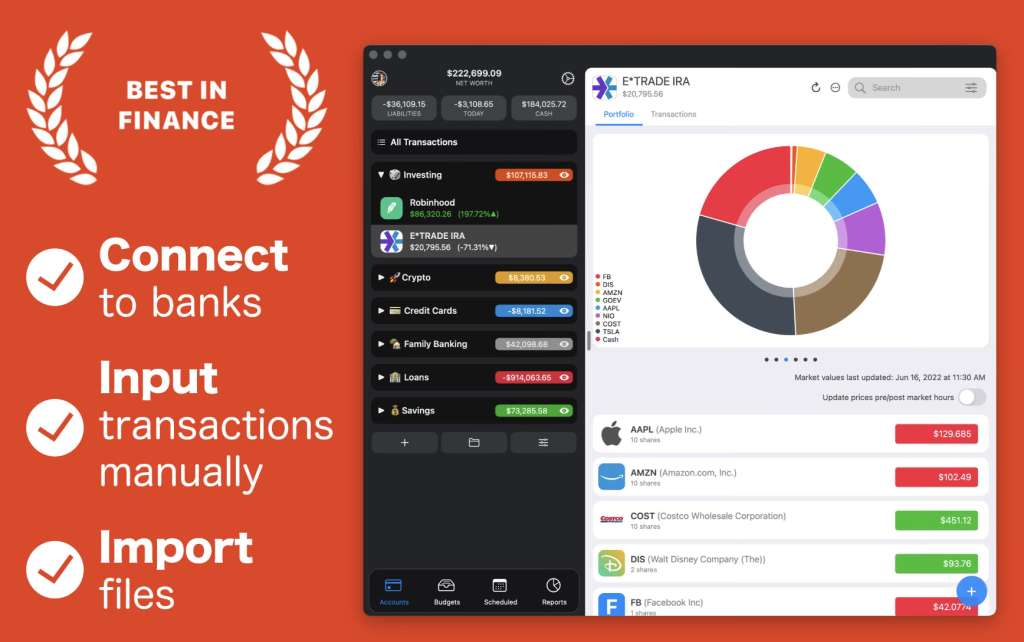
Why choose it: MoneyWiz is one of the most comprehensive personal finance apps available for Mac and iOS, offering a full suite of features to manage your finances in one place. It allows users to track multiple bank accounts, manage debts, monitor investments, and even handle cryptocurrencies, all while providing powerful budgeting tools. Subscriptions, recurring payments, and bills can be monitored, with data synchronized seamlessly across Apple devices.
Pros: Compatible with over 40,000 banks in 55 countries, supports OFX and CSV import, cloud sync across devices, clean interface, multi-currency support.
Cons: Full features, especially bank integration and advanced reporting, require a subscription.
Best for: Users who want an all-in-one solution for banking, investment, crypto management, and full finance oversight across Mac and mobile.
Price: From $5.99/month
Banktivity
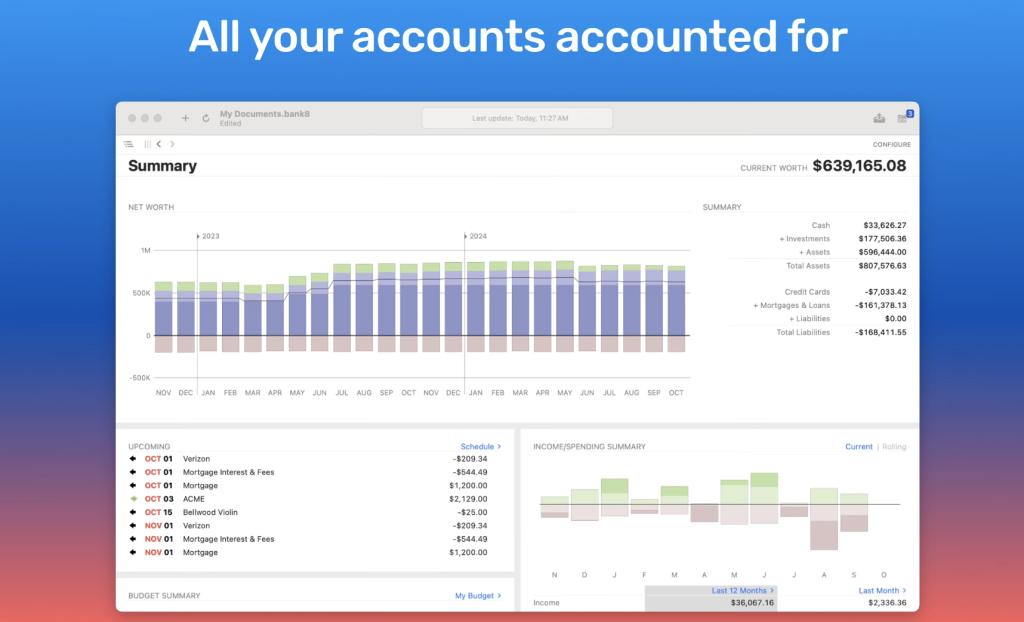
Why choose it: Banktivity is built specifically for Apple users, offering deep macOS integration and a native interface. It provides advanced tools for managing multiple accounts, tracking investments, generating detailed reports, and planning long-term goals.
Pros: Multi-portfolio management, investment tracking, macOS-optimized charts, multi-currency support, detailed financial reports.
Cons: Advanced features require subscription; can be complex for beginners.
Best for: Mac-focused users managing multiple accounts or investments who want a robust Apple-integrated finance system.
Price: From $6.99/month
Moneydance
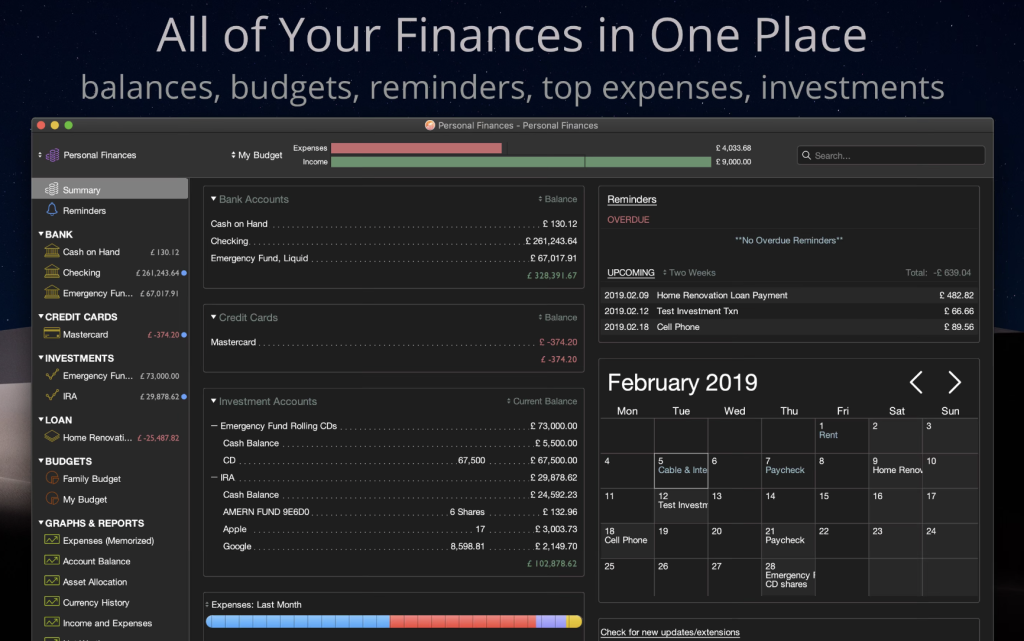
Why choose it: Moneydance is a long-standing desktop finance app with a one-time purchase model. It manages accounts, budgets, investments, and generates detailed reports, all offline for full privacy.
Pros: Offline management, multi-currency support, customizable reports, strong privacy with local data storage.
Cons: Less modern interface, mobile sync requires extra setup, steeper learning curve.
Best for: Users avoiding subscriptions, valuing offline control and privacy, or managing complex accounts/investments.
Price: $69.99 (one time)
Budget Flow
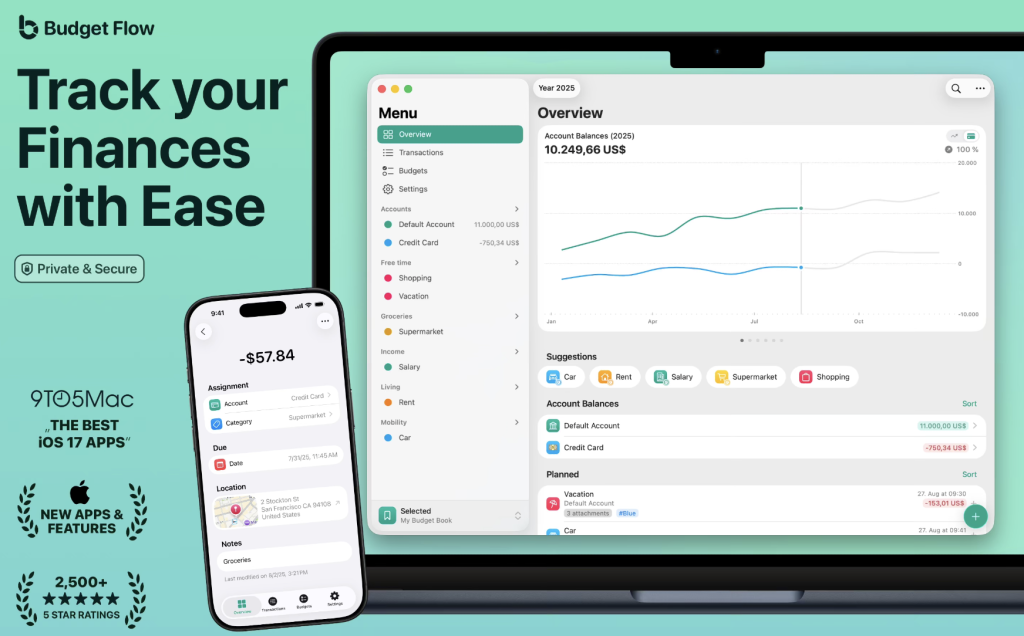
Why choose it: Budget Flow is a clean, intuitive app for Mac, iPhone, iPad, and Apple Watch. It focuses on daily expense tracking, account management, and habit-building. iCloud sync keeps all data updated across devices.
Pros: Beginner-friendly, multi-currency support, customizable categories, recurring transactions, notes/photos/receipt scanning, shared budgets via iCloud.
Cons: Lacks deep automatic bank syncing, advanced analytics require premium version.
Best for: Users seeking a simple, visual budgeting and expense tracking app for individuals, couples, or families.
Price: From $4.99/month
Recommended App by User Profile
| User Profile | Recommended App |
|---|---|
| Wants everything, including investments & crypto, with sync on all devices | MoneyWiz |
| Lives on Mac, manages multiple accounts/investments, wants native macOS interface | Banktivity |
| Avoids subscriptions, prefers offline control & privacy | Moneydance |
| Wants a simple, visual way to track expenses, build budgeting habits, and manage day-to-day spending | Budget Flow |
Final Thoughts
There is no single “perfect” app for everyone. The best choice depends on how active you are in managing finances, how much you want to sync between devices, how automated you want it, and your budget.
Practical tip: Try 1–2 apps from the list, use the free trial or version, and see which one simplifies your financial management the most. Each app has unique strengths tailored to different user types — the key is matching it to your workflow and goals.